
U9play Download Malaysia – Android, iOS, H5 & Mobile Access
Choose the mobile access method that matches your device. The available interface may include Android, Huawei, Apple/iOS and H5 browser access.
U9play Mobile Access Options
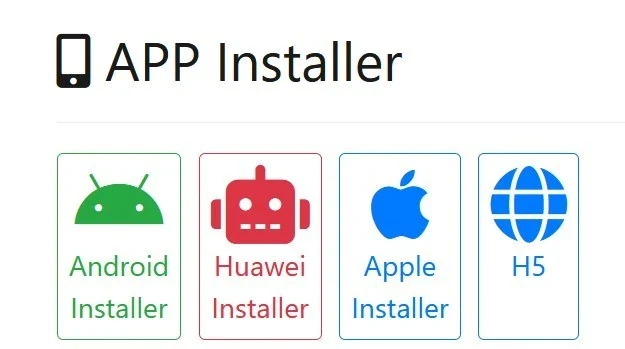
Choose Android, Huawei, iPhone/iOS or H5. All four buttons open the mobile-options window; select your device there.
U9play Mobile Options at a Glance
The U9play mobile interface reviewed on 5 October 2026 displayed Android, Huawei, Apple and H5 choices. The device buttons above open the same options window so you can check the available method for your phone. These choices are managed by the external platform, and the current screen may differ from our reference.
Android APK: What to Check
Select Android in the download-options window if it is available for your device. The platform may offer an APK or another installation method. Before downloading, verify the address, file name and requested permissions. Do not install files shared through unrelated messages, and keep device security protections enabled. An Android option in a screenshot is not proof that any particular APK is safe.
Huawei Device Access
The reviewed screen showed Huawei as a separate choice. Open the Huawei option to see its current instructions instead of assuming that every Android installation step applies to your device. Compatibility can depend on the model and system version.
iPhone and iPad Access
Use the Apple option to check access instructions for supported iOS devices. Availability may depend on the device, operating system and distribution method. The appearance of an Apple option does not confirm that an app is listed in the App Store.
H5 Browser Access Without an APK
H5 is the browser-based option shown in the mobile interface. It may suit users who prefer not to install an application or whose device does not support an available installer. Open the H5 option in a compatible browser and follow the current sign-in screen. Some features may differ from an installed application.
How to Choose Your Mobile Access Method
- Open the mobile-options window using the button above.
- Select Android, Huawei, Apple or H5 according to your device.
- Read the current instructions and verify the destination before proceeding.
- If a downloadable file is offered, check its source, permissions and device compatibility before installing.
- For H5, continue in your browser without installing an application.
Already have an account? Use the member login guide. New users can read the registration guide. These pages cover account fields rather than installation.
Download and Access Problems
The download does not begin
Confirm your connection, verify that you selected the right device option, and reopen the current mobile-access window. If a button remains unavailable, it may be a provider-side limitation.
Android blocks installation
Read the warning shown by Android before changing any device setting. Avoid bypassing security protections or installing a package whose origin is unclear.
The app will not open
Check for device updates and any compatibility or permission messages. Where available, use H5 browser access rather than repeatedly installing an unknown file.
H5 opens a blank screen
Refresh the page, check the connection and try an up-to-date browser. If an embedded view is blocked, try the external access method offered by the platform.
Mobile Download Safety
Review the current external destination, application permissions and applicable privacy terms before installing. U9play.my is an independent website: it does not develop, distribute or independently certify external application packages. Avoid sharing passwords and one-time codes, particularly on shared devices. Adults 18+ only; see our Responsible Gaming page.
U9play Download FAQs
Which mobile options are shown?
The interface reviewed in October 2026 displayed Android, Huawei, Apple and H5. The options available now depend on the external platform.
Do the Android and iOS buttons download different files directly?
No. On this page the device buttons open the same mobile-options window. Choose the appropriate device option there.
Can I use H5 without installing an app?
H5 is a browser-based access option when the platform offers it. Select H5 and follow the current browser instructions.
Is every U9play APK safe to install?
We cannot verify that. Check the source, package details and permissions, and do not bypass security warnings for unfamiliar files.
What if the options popup does not open?
Try the external mobile-options link provided by the page. The browser or external provider may restrict embedded content.
Where can I get help with signing in after installation?
See the U9play Login guide for sign-in and password recovery information, or the Register page for new accounts.
Related pages: U9play Malaysia · FAQ · Privacy Policy.